How to Reach IT Decision Makers in 2026: Buying Committees, Roles and Email Outreach

Selling software, infrastructure, security or IT services in the US means getting past one stubborn fact: no single person signs off on a technology purchase anymore. The CIO sets direction, the CISO can veto on risk, IT directors and architects judge fit, and procurement and finance check the numbers. Email one of them with a generic pitch and the message dies in a crowded inbox. Email the right group with the right message for each role, and you give the whole committee a reason to talk about you.
This guide explains who sits on a typical IT buying committee, what each role cares about, how to build a multi-threaded email plan, and how technographic data helps you aim it.
The short answer
To reach IT decision makers, map the buying committee at each target account, write a separate message for each role (strategy for the CIO, risk for the CISO, fit and workload for IT directors, cost and terms for procurement), and send short, educational emails to several people in the same company over a few weeks. Use technographic data to target companies running the systems your product works with, keep your contact data clean, and follow CAN-SPAM.
Why IT buying decisions are harder to reach in 2026
Technology purchases touch security, budgets, existing systems and the people who will run them every day, so more people get a say. Gartner’s research on B2B buying describes buying groups ranging from five to 16 people across as many as four functions, and a 2024 Gartner survey of 632 B2B buyers found that 74% of buyer teams showed “unhealthy conflict” during the decision process (Gartner, May 2025). The same release reports that buying groups that reach consensus are 2.5 times more likely to report a high-quality deal.
For sellers, the lesson is practical. Your job is not only to convince one champion. It is to give every member of the committee the information they need to agree with each other.
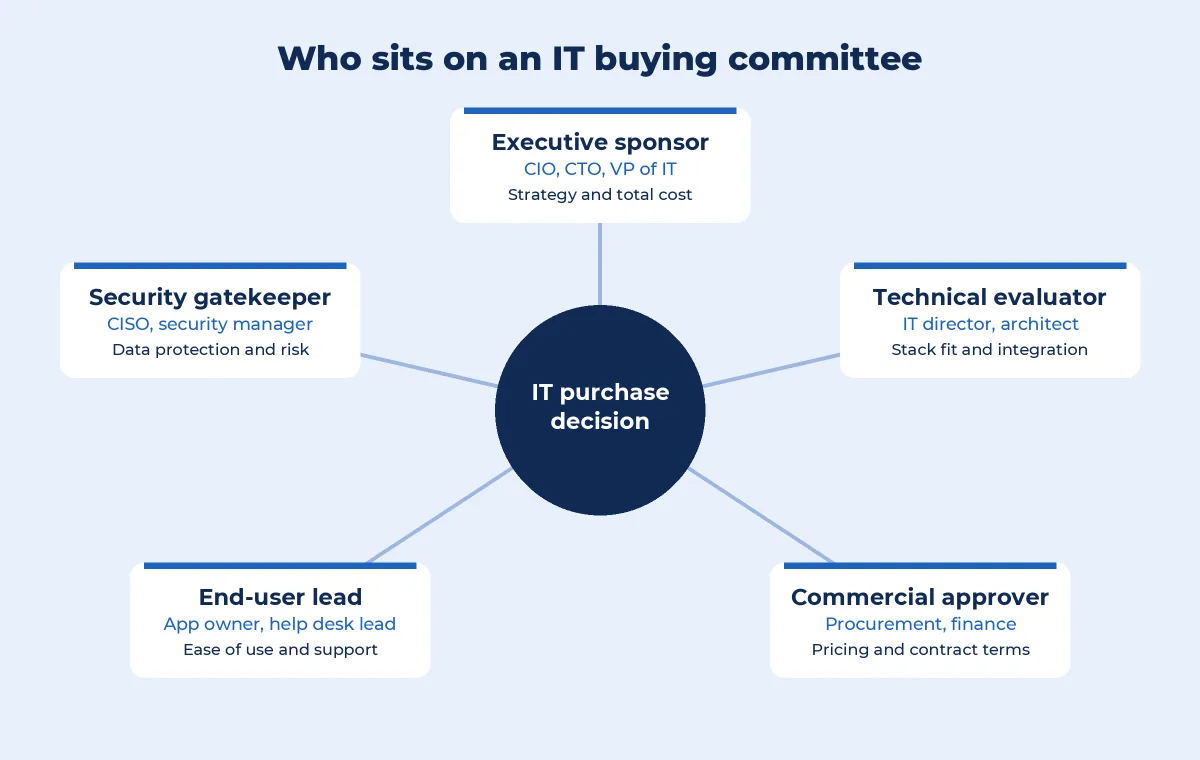
Who sits on an IT buying committee
Titles vary by company size. In a 200-person firm, one IT manager may cover three of these roles. In an enterprise, each role can be a team. Use this table as a starting map and adjust it per account.
| Role | Typical titles | What they care about | What to send them |
|---|---|---|---|
| Executive sponsor | CIO, CTO, VP of IT | Strategy, business outcomes, total cost, vendor risk | A short point of view on the business problem, a peer example you can verify, an executive summary |
| Security gatekeeper | CISO, IT security manager, compliance lead | Data protection, access control, certifications, audit trail | Security overview, how data is handled, answers to common questionnaire items |
| Technical evaluator | IT director, enterprise architect, systems or network manager | Fit with the current stack, integration effort, support load | Integration notes for their specific systems, implementation steps, a technical demo offer |
| End-user lead | Help desk manager, application owner, department head | Ease of use, training time, day-to-day reliability | Short walkthroughs, rollout plans, how support works |
| Commercial approver | Procurement, finance, IT asset manager | Pricing model, contract terms, renewal and exit terms | Clear pricing structure, contract summary, cost comparison worksheet |
How to build a targeted list of IT decision makers
Good outreach starts with a list that matches the committee you just mapped. Spraying every “IT” title in a database wastes sends and hurts your sender reputation.
Start with your ideal account, not job titles
Define the companies first: industry, employee count, region and the problem your product solves. Then pull the roles inside those accounts. A segmented IT decision makers email list lets you filter by title, seniority, company size and location so each campaign goes to a defined group.
Add technographic data to find the right stack
Technographic data tells you which technologies a company uses. If your product integrates with Microsoft 365, migrates workloads off legacy hardware, or secures Cisco networks, target accounts that run those systems. You can build these segments from technology users email lists, such as Microsoft users or Cisco users. Our roundup of technographic data providers in the USA explains how this data is collected and compared.
Fill the gaps in each account
Most lists have one or two contacts per company, not the whole committee. Before a campaign, check which roles are missing at your top accounts and fill them. Company profiling can map the people and structure behind a target account, and data appending and cleansing can update job changes and remove dead addresses before they bounce.
Writing emails IT decision makers actually read
IT leaders get a steady stream of vendor email. The messages that earn a reply share a few traits.
- Lead with their environment. “Teams running SAP and Microsoft 365 often hit this sync problem” beats “We are a leading provider of”.
- Teach before you pitch. A checklist, migration plan or security question list is more useful than a feature list.
- Keep it short. Aim for under 120 words, one idea and one ask.
- Make the ask small. Offer a resource or a 15-minute technical call, not a full demo on the first touch.
- Write plain text. Heavy HTML, big images and many links look like marketing and are easier to filter.
- Be specific about claims. Name certifications you hold and integrations you support. Skip vague promises about speed or savings you cannot prove.
A multi-threaded email plan for one account
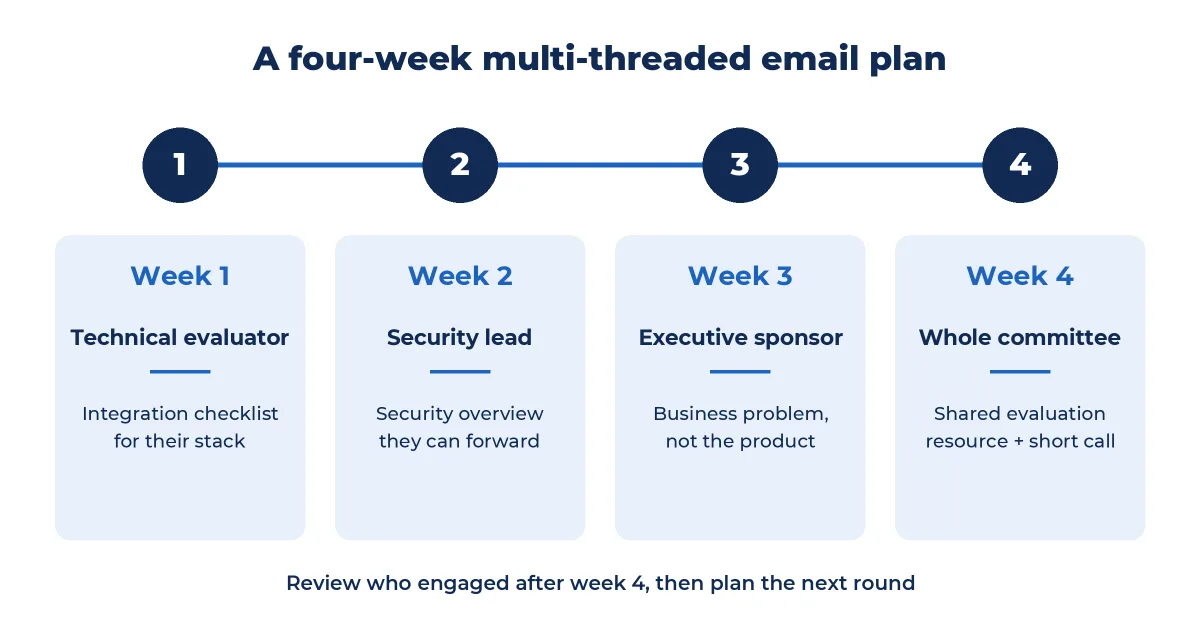
Multi-threading means reaching several committee members at the same company with messages that fit together. Gartner’s research found that tailoring content for the buying group as a whole, rather than only for one individual, supports consensus. Here is a simple four-week plan you can adapt.
Week 1: Open with the technical evaluator
Email the IT director or architect with a useful resource tied to their stack, for example an integration checklist for the systems they run. Ask one question about their current setup.
Week 2: Add the security view
Send the CISO or security lead a short note on how your product handles data and access, with a security overview they can forward. This often removes an objection before it is raised.
Week 3: Bring in the executive sponsor
Write to the CIO or VP of IT about the business problem, not the product. Mention that you have shared technical and security material with their team, without naming people who have not replied.
Week 4: Follow up with a shared resource
Send one asset the whole group can use, such as an evaluation checklist or cost worksheet, and offer a short call. Then pause, review who engaged, and adjust the next round.
A sample first email to an IT director might read:
Subject: Checklist for [system] to [system] integration
Hi [First name], teams running [system] often spend time reconciling data between [system A] and [system B]. We put together a one-page checklist of what to test before connecting them. Want me to send it over? Either way, how are you handling that sync today?
[Your name], [Company], [physical address], [unsubscribe link]
Deliverability and compliance basics
Corporate mail servers filter aggressively, so the technical setup matters as much as the copy. Authenticate your sending domain with SPF, DKIM and DMARC, warm up new domains slowly, and remove hard bounces after every send. Clean data protects your domain, which is why list hygiene belongs in every campaign plan, not only once a year. If you would rather not run this in-house, our email campaign services can handle setup and sending.
In the US, commercial email falls under the CAN-SPAM Act, and the FTC states that the law makes no exception for business-to-business email. Use accurate sender information, subject lines that reflect the content, your valid physical postal address, and a working opt-out that you honor within 10 business days. Read the FTC’s CAN-SPAM compliance guide for the full rules, and check with your own counsel if you also email contacts outside the US.
How to measure whether it is working
Judge IT outreach at the account level, not only by single-email open rates.
- Account engagement: how many committee members at each account replied, clicked or forwarded.
- Role coverage: how many target accounts have at least three of the five roles reached.
- Reply quality: positive replies and meetings booked, not just total replies.
- List health: bounce and unsubscribe rates per segment, which show where data needs cleaning.
- Pipeline: opportunities created from the accounts you multi-threaded compared with those you did not.
Frequently asked questions
Who counts as an IT decision maker?
Anyone with real influence over a technology purchase. That includes the CIO, CTO and VP of IT, but also CISOs, IT directors, enterprise architects, application owners and the procurement staff who approve contracts. In smaller companies, one IT manager may hold several of these roles.
How many people are involved in an IT purchase?
It depends on the deal size and company. Gartner describes B2B buying groups ranging from five to 16 people across as many as four functions. Map each target account rather than assuming a fixed number.
Should I email the CIO first?
Usually not as your only contact. CIOs get the most vendor email and often delegate evaluation. Starting with the technical evaluator, then adding security and the executive sponsor, gives each person a message that fits their role.
What is technographic data used for?
Technographic data shows which software and hardware a company uses. Sellers use it to target accounts running systems their product integrates with, replaces or supports, and to write emails that refer to the buyer’s actual environment.
Is cold email to IT decision makers legal in the US?
Commercial email is allowed in the US if it follows the CAN-SPAM Act, which applies to B2B email too. That means honest headers and subject lines, a physical postal address and an opt-out honored within 10 business days. This is general information, not legal advice.
Reach the full IT buying committee
If you are planning outreach to technology buyers, our data team can build a list of CIOs, CISOs, IT directors and other technology buyers segmented by role, company size, location and technology in use. Talk to our data team to get a quote.